Skip to content



Need help with Google Business Profile support? In this article, we’ll guide you through managing and optimizing your profile, ensuring better visibility and customer engagement.
Key Takeaways
- Creating and maintaining an accurate Google Business Profile enhances local visibility and customer engagement, attracting more potential customers.
- Utilizing professional optimization services, like those offered by That! Company, significantly improves profile effectiveness and helps build trust with customers.
- Regular updates, effective management of user access, and responsive engagement with customer reviews are crucial for maintaining the credibility and security of the Google Business Profile.

Getting Started with Google Business Profile
Creating a Google Business Profile is your first step towards making your business more discoverable online. Start by signing in with your Google Account and providing details like your business name, address, phone number, and website. This information helps potential customers find and contact your business easily. Additionally, having a business profile on google can enhance your visibility.
After signing in, you’ll need to provide additional details like your business category and contact information. Ensuring all information is accurate and complete improves your visibility on search engines and Google Maps, enhancing the overall customer experience.
A well-maintained Google Business Profile can significantly boost your local search rankings. Keeping your business information precise and up-to-date increases the chances of appearing in relevant searches, attracting more customers.

Key Benefits of Using That! Company’s White Label Google Business Profile Optimization
Optimizing a Google Business Profile can be daunting, but That! Company offers services to enhance local visibility and customer engagement. For businesses looking for expert assistance, a white label Google optimization service can ensure your profile stands out in search results and Google Maps, attracting more potential customers and driving local traffic effectively.
Leveraging That! Company’s expertise ensures that profiles are fully optimized and maintained. From creating a compelling profile to ongoing updates, these services improve your online presence and build trust with potential customers.
Creating Your Profile
Create a new Google Business Profile involves several steps. First, sign up with Google and access the Google Business Profile website to create an account. Then, locate your business on Google Maps to ensure accurate representation and avoid potential suspensions due to discrepancies.
Next, provide essential details such as your business name, address, phone number, and category. Use your official business name to avoid issues, and fill in details about your website and business hours for a complete picture of your operations.
For guidance, the Google Business Profile Help Center offers comprehensive resources for troubleshooting and managing your profile. It provides helpful tips and additional resources, making it a valuable tool for effective profile management.
Verification Process
Verifying your Google Business Profile ensures its credibility and protects it from unauthorized changes. Methods include postcard, phone call, email, and Google Search Console. Choose the method that suits your needs.
Verification by postcard involves receiving a unique code to confirm your business’s address. Although it takes a bit longer, it effectively establishes your business’s legitimacy. Once you verify, you gain access to advanced features to enhance your profile.
Initial Setup Tips
Accurately representing your business address when setting up your Google Business Profile ensures customers can easily find you. Service area businesses should hide the address to maintain privacy while reaching the target audience.
Accurately representing your business hours on the profile prevents negative reviews from customers visiting during off-hours. Keeping all information up-to-date and accurate provides a better customer experience and improves your online reputation.

Key Benefits of Using That! Company’s White Label Local SEO Services
Utilizing white label local SEO services can enhance your online presence without the need for additional staff. That! Company’s services allow businesses to focus on core objectives while outsourcing SEO to specialized agencies, improving efficiency and ensuring skilled professionals handle SEO tasks.
These services offer customized strategies to meet specific business needs and significantly improve online visibility. From identifying effective keywords to driving organic traffic, the benefits are extensive. Additionally, white label local SEO services are generally more affordable than maintaining an in-house SEO team, reducing overhead costs.
Leveraging these services helps businesses build a strong online reputation through positive customer reviews and effective local SEO strategies. Enhanced visibility and high-quality leads drive growth and success.

Managing Your Business on Google
Managing a Google Business Profile involves ongoing attention to maintain accuracy and effectiveness. Keeping your business information updated prevents unauthorized changes and ensures potential customers have access to accurate information, crucial for a strong online presence.
Manage Google Business Profiles through Google Maps, where you can edit details like name, address, and hours. Regularly reviewing and updating your profile ensures your business remains relevant and visible in search and maps.
Editing Key Details
Editing key details of your Google Business Profile maintains accuracy and relevance. Update your business name, category, address, hours, phone number, and website by logging into your Google account and accessing the My Business dashboard, then click ‘Info’.
Handle changes to your business name correctly to retain existing reviews. Ensuring all information is accurate and up-to-date enhances your business’s visibility and credibility.
Adding High-Quality Photos
High-quality photos significantly enhance customer engagement and improve local search engine optimization. Adding photos makes your business more appealing and improves search visibility. These photos should authentically showcase your offerings, environment, and customer interactions.
Follow Google’s format and size guidelines for photos to ensure correct display. Regularly updating your profile with high-quality images attracts more customers and improves your online presence.
Responding to Reviews
Responding to customer reviews shows appreciation and enhances your business’s visibility in local search results. Engaging with reviews boosts local SEO, builds trust, and enhances your overall reputation. That! Company helps monitor, respond to, and encourage feedback to manage reviews effectively.
Failing to respond to customer reviews can harm your brand’s reputation, as potential clients may see unaddressed negative feedback. Actively engaging with both positive and negative reviews fosters positive interactions and builds credibility with your audience.
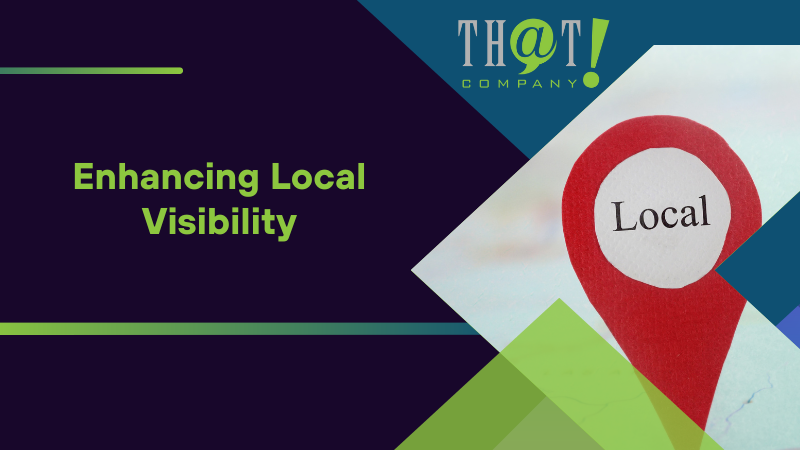
Enhancing Local Visibility
A complete Google Business Profile is crucial for better visibility in local search results. Filling out every section in detail significantly improves your chances of appearing in relevant searches. Regular updates and timely responses to reviews also boost visibility.
Engaging with customer reviews builds trust and showcases your commitment to customer satisfaction. Encouraging positive feedback enhances your business reputation and improves visibility on search platforms.
Keyword Integration
Keyword integration is essential for optimizing your Google Business Profile. Conducting keyword research identifies terms potential customers frequently search for, which should be integrated into your business descriptions. Tools like Google Keyword Planner, Semrush, and Ahrefs help with in-depth keyword research.
Incorporating relevant keywords into your English business description helps search engines understand your offerings. Position keywords early within the description and integrate them organically to maintain readability.
Regularly updating business descriptions and posts ensures accuracy and relevance, improving search rankings.
Utilizing Google Maps
Listing your business on Google Maps enhances visibility by making it easier for local customers to find and navigate to your location. Google Maps provides essential information like opening times and services offered. Regularly managing the listing through updates and responding to reviews can significantly improve ranking in Google search and maps.
Setting up a Google Business Profile is crucial for managing listings on Google Maps. Keeping your information accurate and up-to-date improves local search visibility and attracts more customers.
Leveraging Customer Reviews
Positive customer reviews significantly enhance your business’s local ranking and make it more appealing to potential customers. Reviews boost your profile’s credibility and positively influence search result rankings. Leveraging positive reviews optimizes visibility and improves search rankings on Google.
Encouraging customers to leave reviews and actively engaging with them builds a strong online reputation and improves visibility.

Advanced Features and Tools
The Google Business Profile Manager offers advanced features and tools to enhance customer engagement and location management. Features include chat for direct messaging, customizable automated welcome messages, and Google Assistant integration for bookings.
Google Business Profile APIs are designed for businesses with multiple locations, allowing efficient management of listings. These APIs enable intricate management and automation of updates, ensuring accurate and up-to-date information.
Real-Time Notifications
Real-time notifications keep users updated with immediate changes and interactions. Alerts about new reviews, updates to location data, and more can be received through the Google Business Profile APIs. Staying informed allows businesses to respond promptly and maintain an accurate profile.
These notifications are crucial for managing a dynamic and engaging Google Business Profile, ensuring business owners are aware of customer interactions and can address issues promptly.
Messaging and Chat Features
Messaging capabilities in Google Business Profile enable direct engagement with customers and streamline communication. Enabling messaging through Google My Business allows interaction via text or WhatsApp, providing quick responses and enhancing customer satisfaction.
These features allow seamless management of customer interactions directly from the business profile. Customizable automated welcome messages and chat history storage enhance the customer experience, making it easier to manage conversations and bookings through Google Assistant integration.
Performance Tracking
Performance tracking helps understand how well your Google Business Profile engages users. It provides metrics such as user interactions, views, searches, and engagement levels, helping businesses gauge effectiveness and identify areas for improvement.
By tracking metrics like direction requests, phone calls, website clicks, and total interactions, businesses can make data-driven decisions to enhance their profiles and increase customer engagement. Understanding these insights is crucial for optimizing the profile and ensuring it meets customer needs.

Ensuring Security and Accuracy
Maintaining the security and accuracy of your Google Business Profile is vital to protect your business information and attract customers. With Google Business Profile support, regularly updating contact information and operational hours ensures potential customers have access to the most accurate details. Implementing strong password policies and enabling two-factor authentication are effective measures to enhance profile security.
Accurate representation of your business across all platforms is crucial for maintaining credibility and avoiding profile suspension. By keeping your profile up-to-date and secure, you can improve local search visibility and build trust with potential customers.
User Access Management
Managing user access is an essential aspect of maintaining the security of your Google Business Profile. Business owners should regularly review who has access to their profile and ensure that only trusted individuals are granted permissions. Enabling two-factor authentication adds an extra layer of security, making it harder for unauthorized users to gain access to the profile.
By managing user access and regularly reviewing privacy and security settings, businesses can protect their profiles from unauthorized changes and maintain the integrity of their information.
Regular Updates
Regularly updating your Google Business Profile is crucial for maintaining accurate customer communications. Businesses should update contact details, operational hours, and add new photos and videos to their profile to keep it dynamic and engaging. Outdated information can lead to lost customers, so it’s essential to keep your profile up-to-date.
That! Company provides ongoing updates and optimization for Google Business Profiles to ensure they remain current with the latest information, promotions, and high-quality images. By consistently updating your profile, you can continue to maintain a strong online presence and attract more customers.
Avoiding Common Mistakes
Avoiding common optimization mistakes is essential for improving the visibility and user engagement of your Google Business Profile. Keyword stuffing is a common mistake that can lead to penalties from Google and harm user experience. Instead, focus on relevancy and providing a positive user experience to maximize your profile’s effectiveness.
By ensuring that your profile content is relevant and prioritizes user experience, you can avoid penalties and improve your profile’s visibility in search results. Regularly reviewing and updating your profile can help you avoid these common mistakes and maintain a strong online presence.

Ongoing Support and Resources
Ongoing support and resources are essential for maintaining an effective Google Business Profile. That! Company assists businesses in managing their profiles by providing comprehensive digital marketing services, including Local SEO. The Google Business Profile APIs enable granular location management at scale, which is essential for multi-location brands and enterprises.
By leveraging these resources, businesses can ensure their profiles remain dynamic and engaging, attracting more customers and improving their online presence.
Help Center
The Google Business Profile Help Center serves as a centralized resource for businesses to find troubleshooting guidance and additional support. Users can explore various resources, including FAQs, guides, and tips to help manage their Google Business Profile effectively.
Accessing information in the Help Center is straightforward, allowing users to quickly find the support they need. By utilizing these resources, businesses can resolve common issues and optimize their profiles for better visibility and engagement.
Developer Support
Developer support is available for those integrating Google Business Profile APIs. Developers receive onboarding and technical assistance to ensure seamless integration and efficient management of their profiles. Specific documentation and resources are designed to aid in the integration process, providing valuable insights and support.
The Performance API provides insights into metrics like user searches and engagement with the business profile, helping developers optimize their profiles for better performance.
Community Forums
Community forums provide a platform for users to share experiences and seek advice from fellow business owners. These forums allow users to connect with peers, share insights, and find solutions to common challenges related to managing Google Business Profiles.
By participating in community forums, businesses can gain valuable knowledge and support from others who have faced similar issues, enhancing their ability to manage and optimize their profiles effectively.

Summary
In summary, creating and managing an effective Google Business Profile is essential for enhancing your business’s visibility and engagement with local customers. With white label marketing services, businesses can get expert support in setting up their profile, verifying information, optimizing for local SEO, and leveraging customer reviews. Each step plays a crucial role in building a strong online presence and attracting more local customers.
By utilizing the expertise of That! Company and leveraging the resources available through Google, businesses can ensure their profiles remain dynamic, accurate, and engaging. A well-maintained Google Business Profile is not just a tool for attracting customers; it’s a powerful asset for driving growth and success in the digital age.
Frequently Asked Questions
How do I create a Google Business Profile?
To create a Google Business Profile, simply sign in with your Google Account and enter your business name, address, phone number, and website, ensuring all details are accurate to improve visibility and customer engagement.
What are the benefits of using That! Company’s white label local SEO services?
Utilizing That! Company’s white label local SEO services and Google Business Profile support enhances online visibility, attracts quality leads, and strengthens brand reputation while being cost-effective compared to in-house solutions. This enables businesses to concentrate on their primary goals effectively.
How can I verify my Google Business Profile?
To verify your Google Business Profile, you can use methods such as receiving a postcard, making a phone call, or via email and Google Search Console. Verification is crucial for establishing your business’s credibility and accessing enhanced features.
Why is it important to respond to customer reviews on my Google Business Profile?
Responding to customer reviews on your Google Business Profile is crucial as it boosts local SEO, builds trust, and enhances your business’s reputation. Engaging with reviews demonstrates appreciation and effectively addresses any negative feedback, improving customer relations.
How can I enhance the security of my Google Business Profile?
To enhance the security of your Google Business Profile, it is essential to manage user access, enable two-factor authentication, use strong passwords, and regularly review your privacy and security settings. This proactive approach safeguards your profile from unauthorized changes and protects critical business information.